Windographer Monitor
Windographer Monitor is a lightweight desktop application that automates ingestion and quality control for met-mast, LiDAR and SoDAR data streams. The latest version adds a database-free option by writing directly into Windog files, simplifying deployment, reducing IT friction and enabling fully automated data processing inside Windographer.
It is the quickest, most reliable way to turn raw logger files into clean, analysis-ready datasets and to generate more consistent outputs using Windographer Workflows.
← Back to WindographerRequest a Windographer Monitor adoption package
Evaluate Windographer Monitor through a reduced-cost adoption package with guided onboarding, setup support, operational validation and success review.
Request adoption →Windographer Monitor v1.3: from the measurement campaign to your analysis, automatically
Windographer Monitor runs in the background and picks up new raw data files as soon as they arrive. It imports them, runs your quality checks, appends them to your .windog dataset or database, and archives the originals. The desktop app shows you everything: status, alerts, logs and settings.
Why analysts choose Windographer Monitor
Built for wind energy analysts running met-mast campaigns or RSD fleets across multiple sites.
Your data stays with you
Monitor runs on your own PC or server, so raw files, QC results and datasets never leave your infrastructure.
Straight into Windographer
Choose a .windog file as the destination for your dataset. New data is added automatically and is ready for analysis or batch workflows, with no database, SQL or ODBC setup needed.
You own your campaigns
Add, edit or delete datasets whenever a campaign starts or ends, without asking IT or a support team.
Every format Windographer reads
Met-mast loggers, LiDAR and SoDAR: one tool covers your whole met-mast and RSD fleet.
Automatic QC, around the clock
Monitor runs your Windographer flag rules and alerts you to missing or unusual data.
Export and report
Set up exports and reports in your Windographer Workflows to run as automated batches.
What's new in Windographer Monitor v1.3
More visibility, smarter quality control and simpler dataset management.
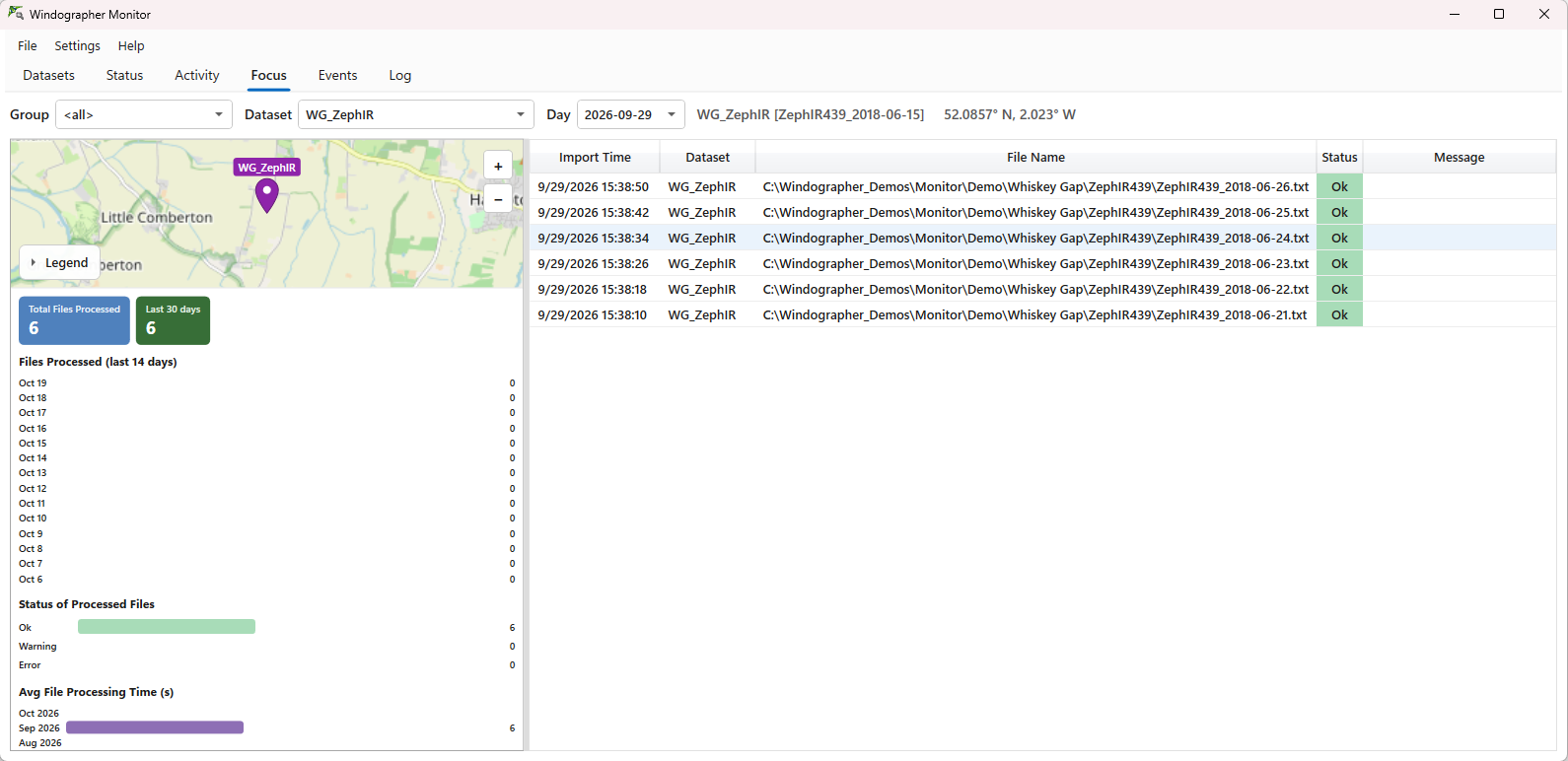
Focus tab with site map
See each dataset on a map, with files processed, file status (OK, warning, error) and processing-time trends.
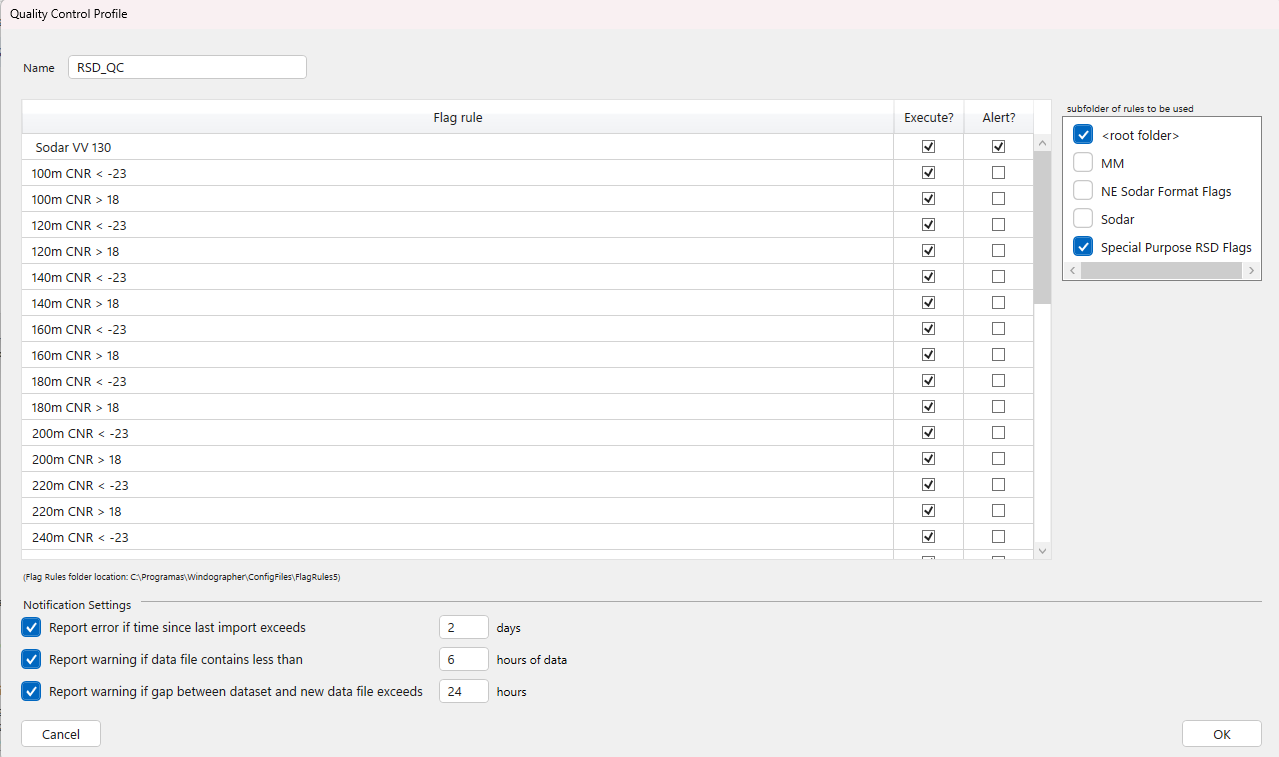
Smarter QC Profiles
Beyond your flag and alert rules, get an error when no data has been imported for a set number of days, and a warning when a file holds too few hours of data or leaves a gap in the dataset.
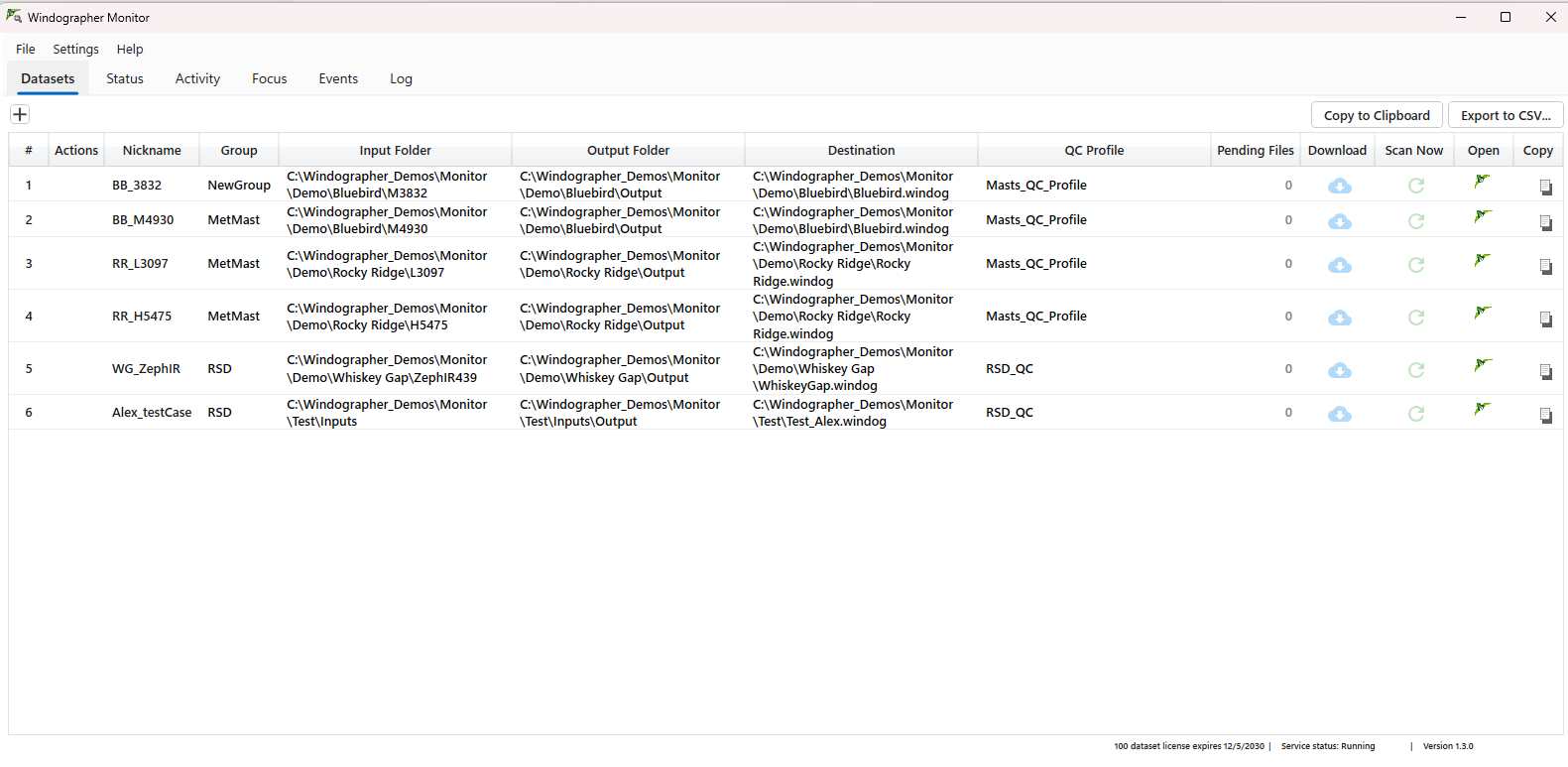
Datasets tab as your control centre
Manage every dataset in one place, run Scan Now to append new files right away, and open any .windog file with one click.
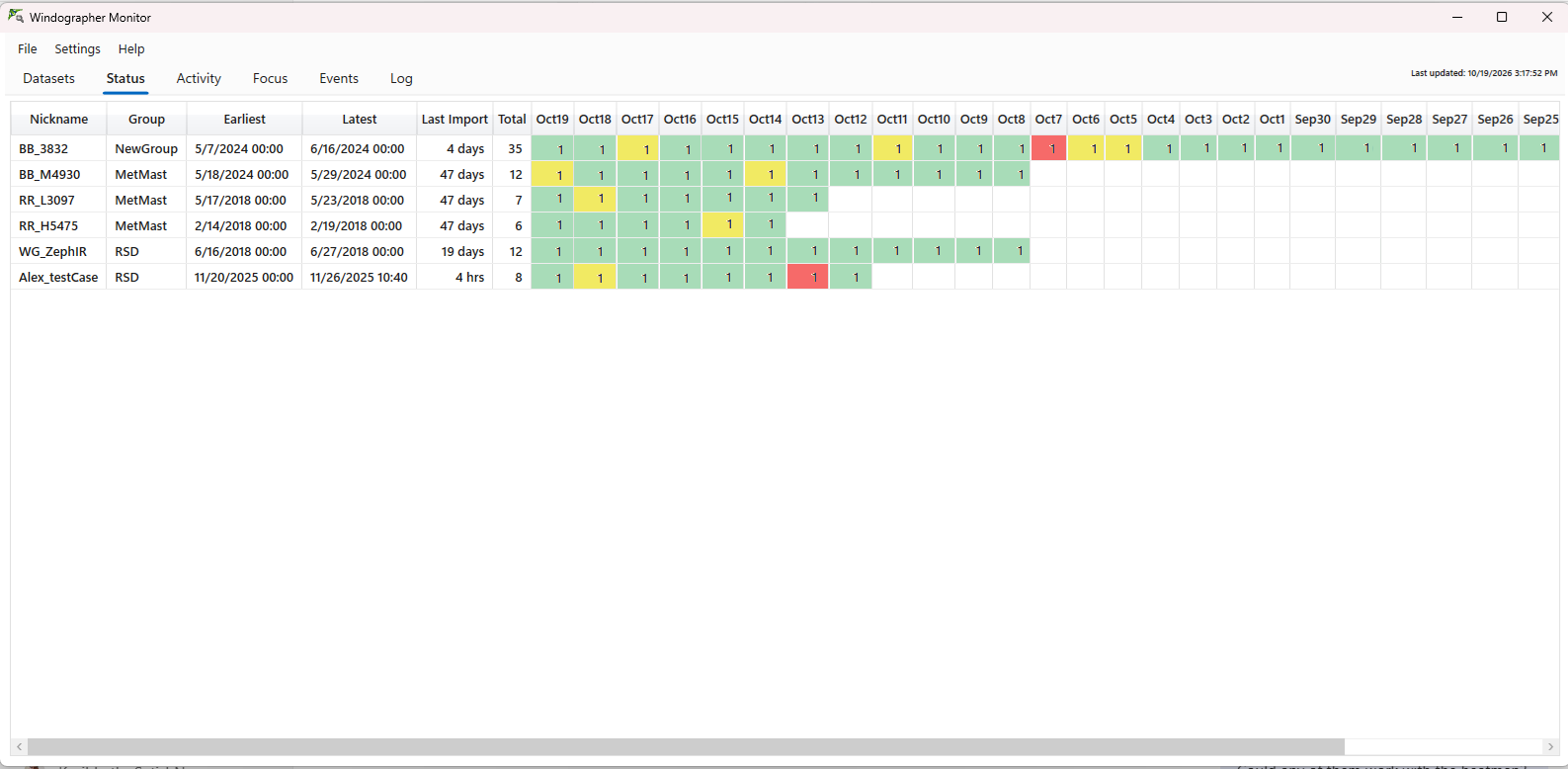
Status at a glance
A daily calendar view of every dataset, with colour indicators and tooltips.
Team-wide notifications
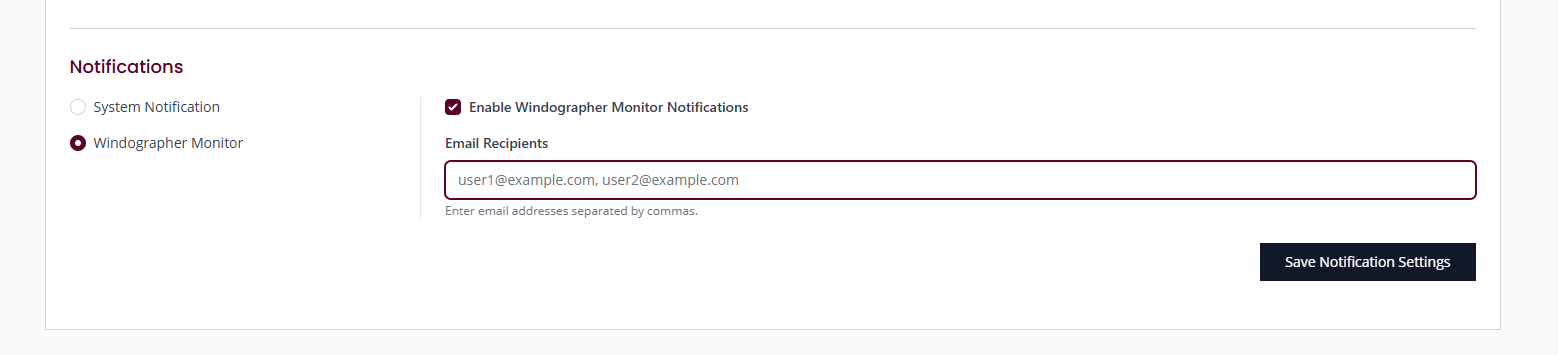
Choose who gets Monitor activity emails on ul-renewables.com, under Dashboard → Company Administration → Company Settings → Notifications → Windographer Monitor.
OneDrive ready
Works with OneDrive folders, including cloud-only files that haven't been downloaded yet.
How adoption is structured
Kick-off to confirm objectives, datasets, users and environment readiness.
Setup of folder structure, destination Windog datasets, Monitor datasets and QC profiles.
Operational validation with continuous ingestion, alert review and feedback capture.
Close-out review with KPI scorecard and recommendation for full adoption.
The bridge between your measurement campaigns and your analysis team
Want to see Windographer Monitor v1.3 in action? Contact the UL Solutions team for more information or a demo.
Ask the UL Solutions team →Available documentation
Windographer Monitor Adoption Guide
Version 1.3 · October 2026
Use the guide to review the evaluation structure, responsibilities, success model and next-step planning used to shape the adoption package.
Open Adoption Guide