Windnavigator 2.3 - Uncertainty Map for Wind Atlas
Jan 22, 2026
Following the release of the Northern America wind map in 2024 on UL Solutions’ ULTRUSTM Windnavigator platform, UL has developed an uncertainty map for its wind atlas. This pioneering step demonstrates UL's commitment to advancing wind resource assessment, inspiring trust and confidence among wind energy professionals.
UL Solutions’ uncertainty map is based on two main components:
a) the uncertainty linked to the model stresses (e.g. orography and land cover),
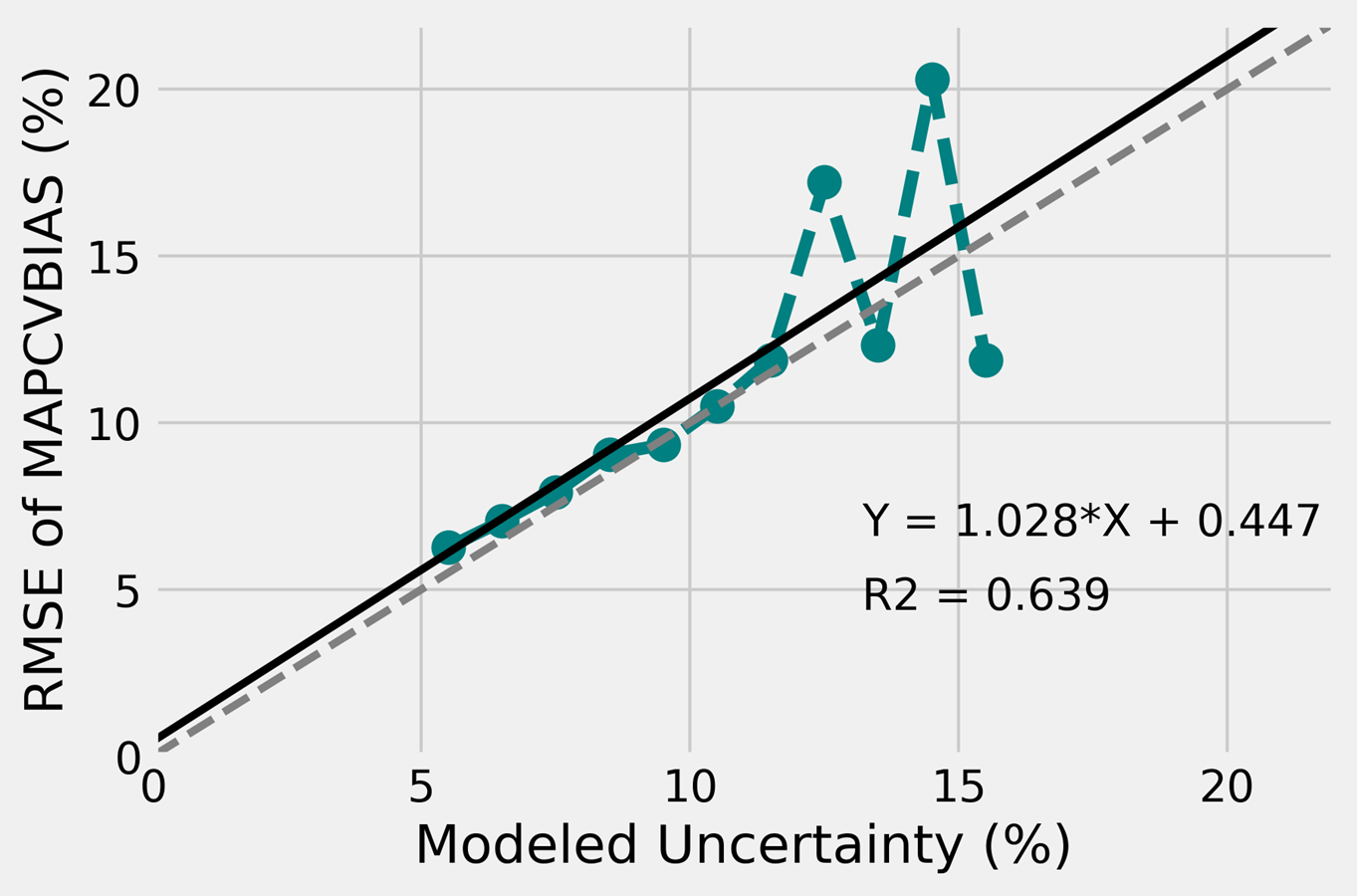
b) the cross-validation results at more than 900 met masts in Northern America.
b) the cross-validation results at more than 900 met masts in Northern America.
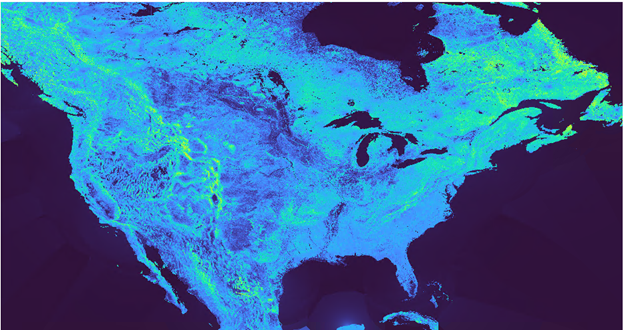
An empirical uncertainty model was developed around commonly used model stresses in the industry, i.e. terrain elevation and slopes, surface roughness and forestry. An analytical function was refined to fit each model stress to the uncertainty (i.e. standard deviation or RMSE) calculated at the met masts during the leave-one-out cross-validation. The empirical uncertainty model allows us to compute an uncertainty value at each 200 m resolution grid points in the wind atlas. The second step to creating the uncertainty map was to account for the known errors (i.e. biases) at the met mast locations. Therefore, UL Solutions’ uncertainty map relies on the empirical uncertainty model and the known biases from the leave-one-out cross-validation. In other words, the background values in the uncertainty map come from the empirical model. The known errors from the cross-validation are added on top of the empirical uncertainty raster using a weighting based on distance.
The uncertainty map for North America:
This release also includes a package of improvements that enhance the Windnavigator user experience, making your workflow more efficient and reliable.
Download the layout of existing wind farms without effort
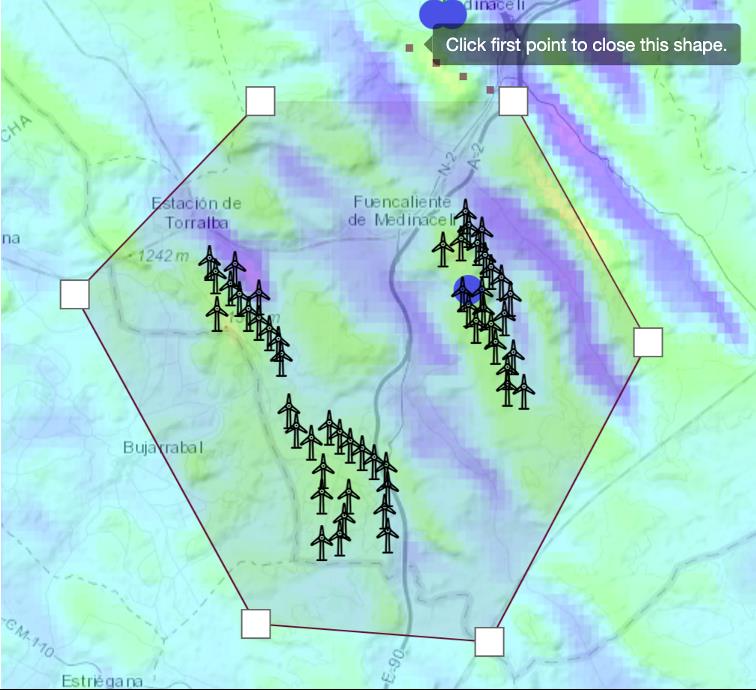
Activate the Existing Turbines layer from the compass, draw a polygon to select all the wind turbines to be considered, and boom! An Excel file with the coordinates and available turbine characteristics is downloaded, which you can use in Openwind or in the GIS software of your choice.
Select elevation and roughness to run Sitewind
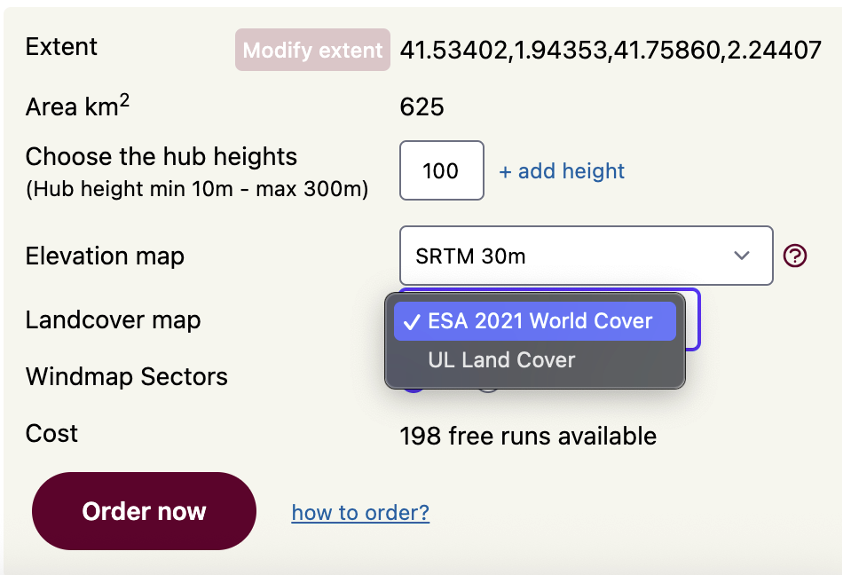
Do you know if one particular elevation model is more accurate at your selected site? Or maybe you prefer to use a different land use database because it has more classes? Now you can select from our growing list of available datasets the elevation and roughness source to be used in the creation of your micrositing wind flow modeling.
Added curtailments and wind sector management capabilities to the Projects tab
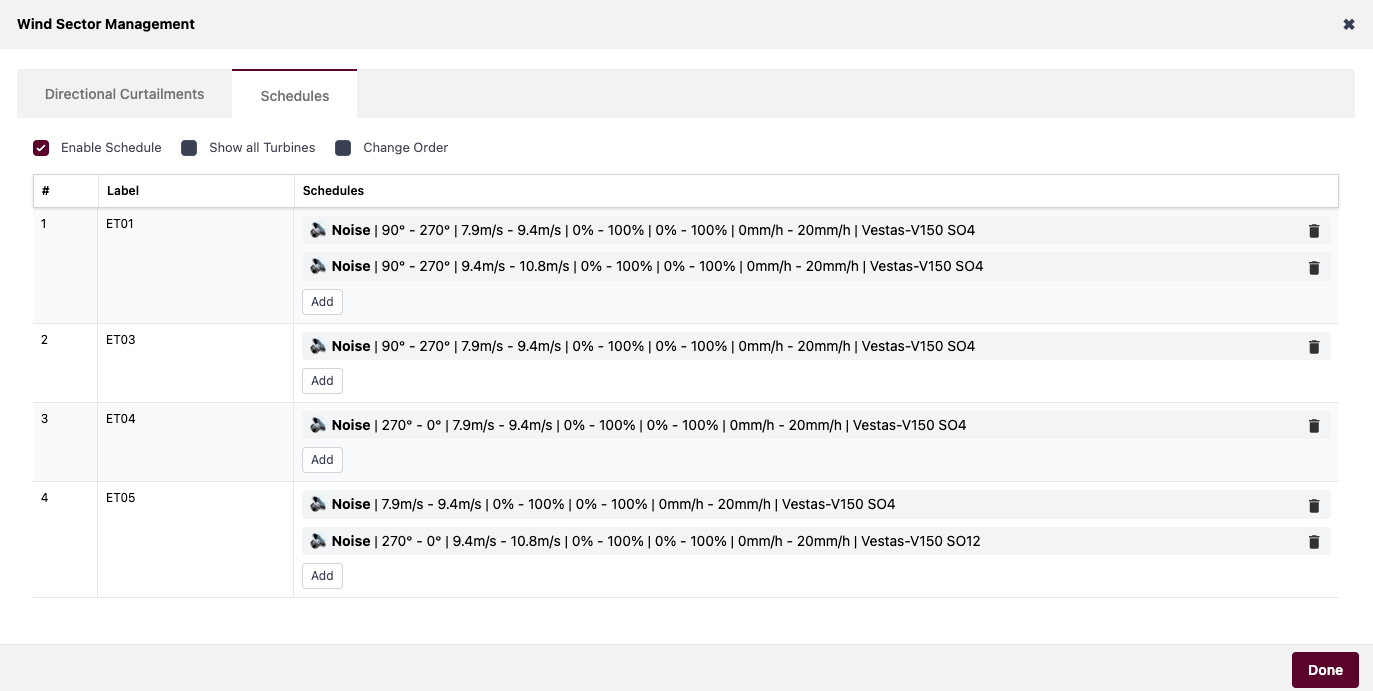
Bring the flexibility of the Openwind’s Turbine Scheduling window to your Projects tab in Windnavigator. Feel full control over all the curtailments affecting your wind project and estimate accurately its associated loss.
Multiple WRF Time Series with a single request
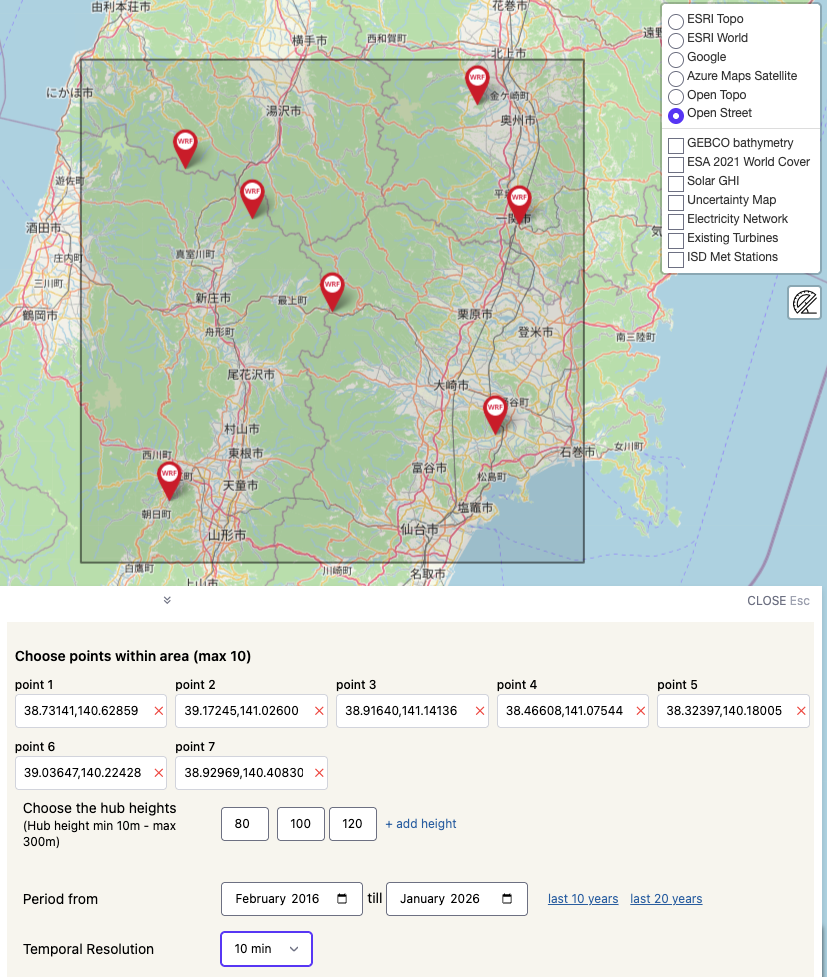
Sometimes you want to perform MCP (Measure-Correlate-Predict) analysis with several masts, or the wind farm is simply so large that it requires more than one long-term time series for a complete characterization. Now you can place an order for multiple points of your project and obtain the results in the same time as if you were requesting only one point.
New variables available as GIS data.
In addition to the traditional mean annual wind speed, now you can order maps of air density, power density or Weibull parameters from our calibrated, 200m resolution modeling.
Additional features and formats in the Typical Year
This virtual met mast contains hourly records for a typical year scaled to our 200 m resolution wind maps and as such is a very useful tool to perform preliminary time-based energy estimations.
We've now added the relative humidity field for each of the requested levels. This also makes it directly usable with Openwind, without any additional action.
For those who prefer to perform energy calculations in frequency, we've also added the WAsP .tab format, along with the usual .csv.
We've now added the relative humidity field for each of the requested levels. This also makes it directly usable with Openwind, without any additional action.
For those who prefer to perform energy calculations in frequency, we've also added the WAsP .tab format, along with the usual .csv.
Should you have any inquiries, proposals, or simply an interest in exploring our digital solutions, we warmly invite you to reach out to us.